01 / People
There they are.
Find your people on one map. See their latest shared location, with a clear timestamp and status.
Recently online, inactive, or sharing paused—you get the context behind the pin.
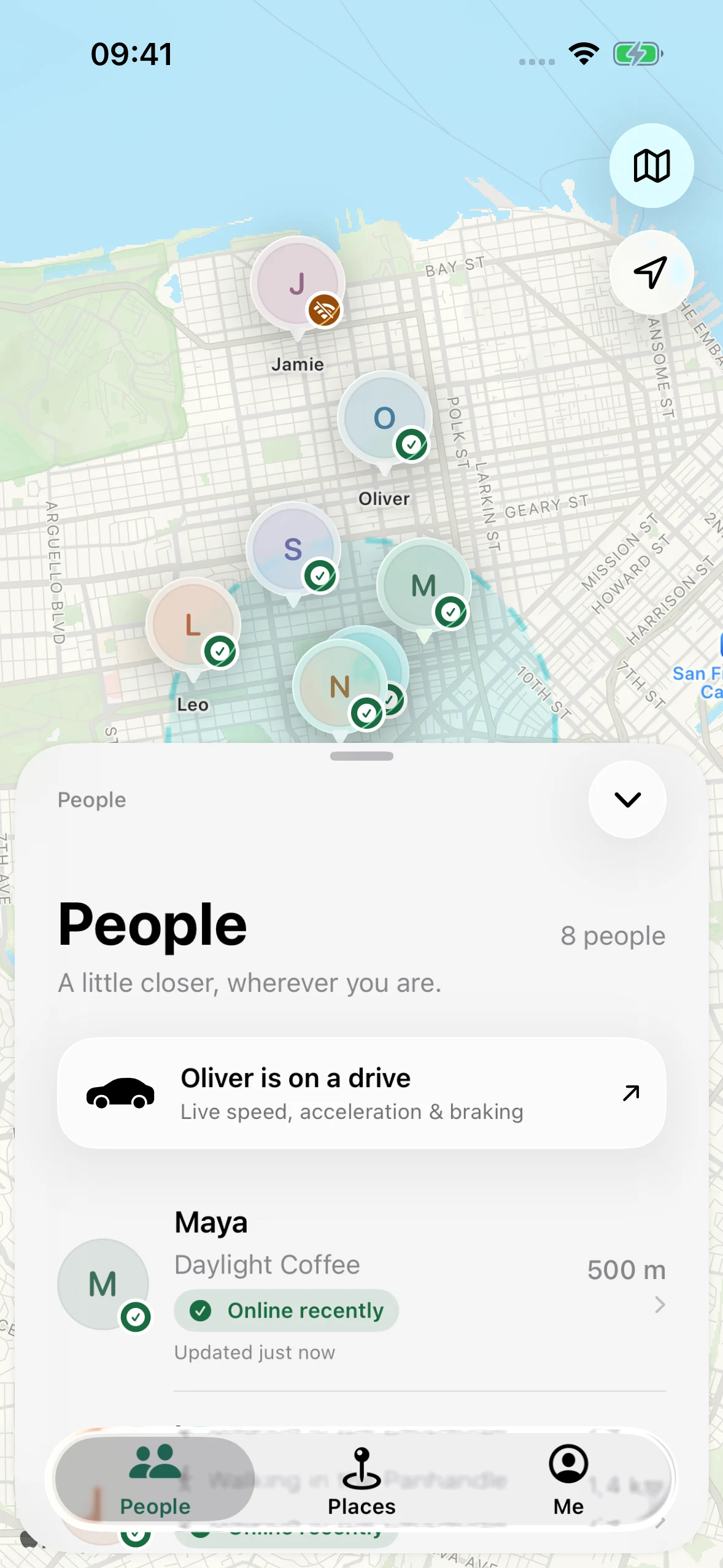
01 — People
Your people on one map.
With the context behind every update.
02 — Your day
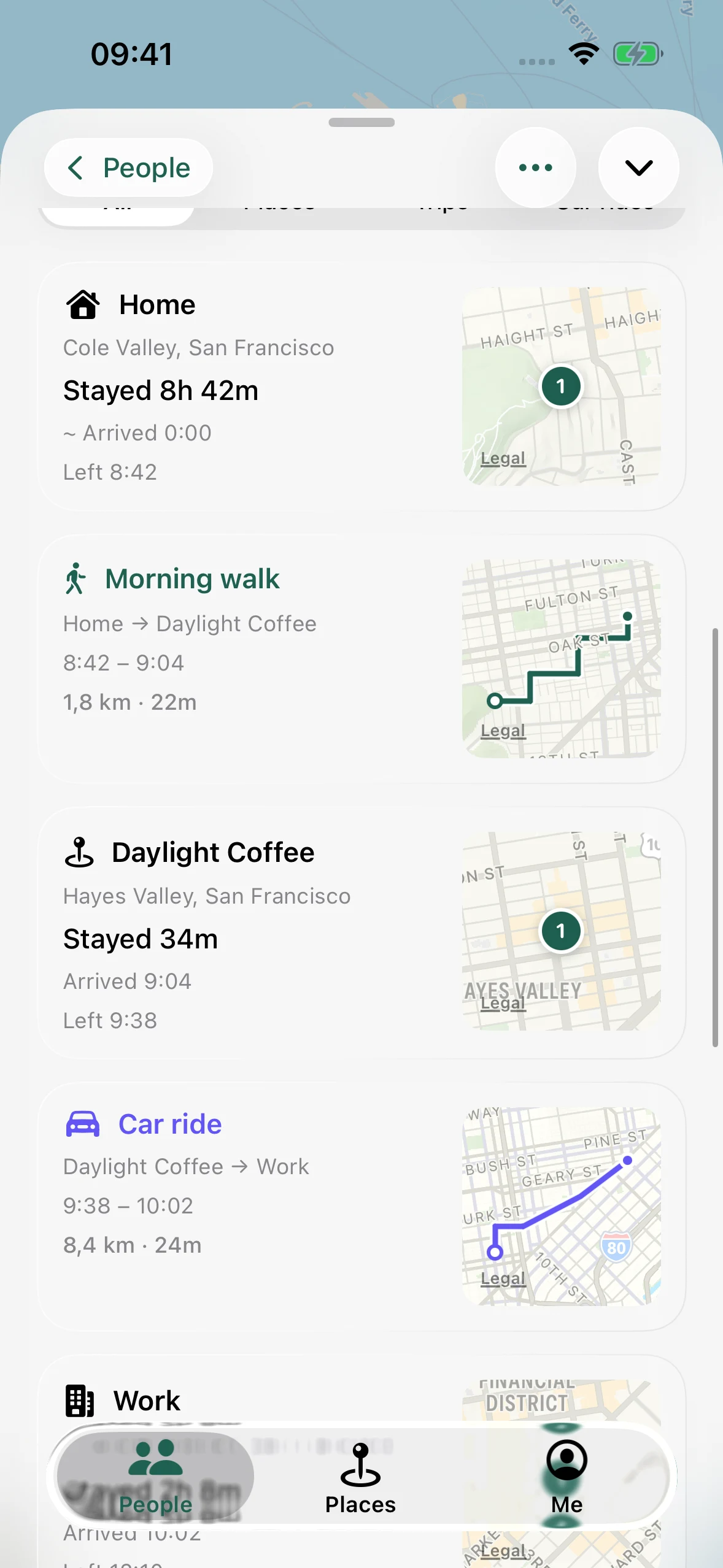
Go from a day on the map to the little moments that made it.
Walks. Rides. Places. Time well spent.03 — Journeys
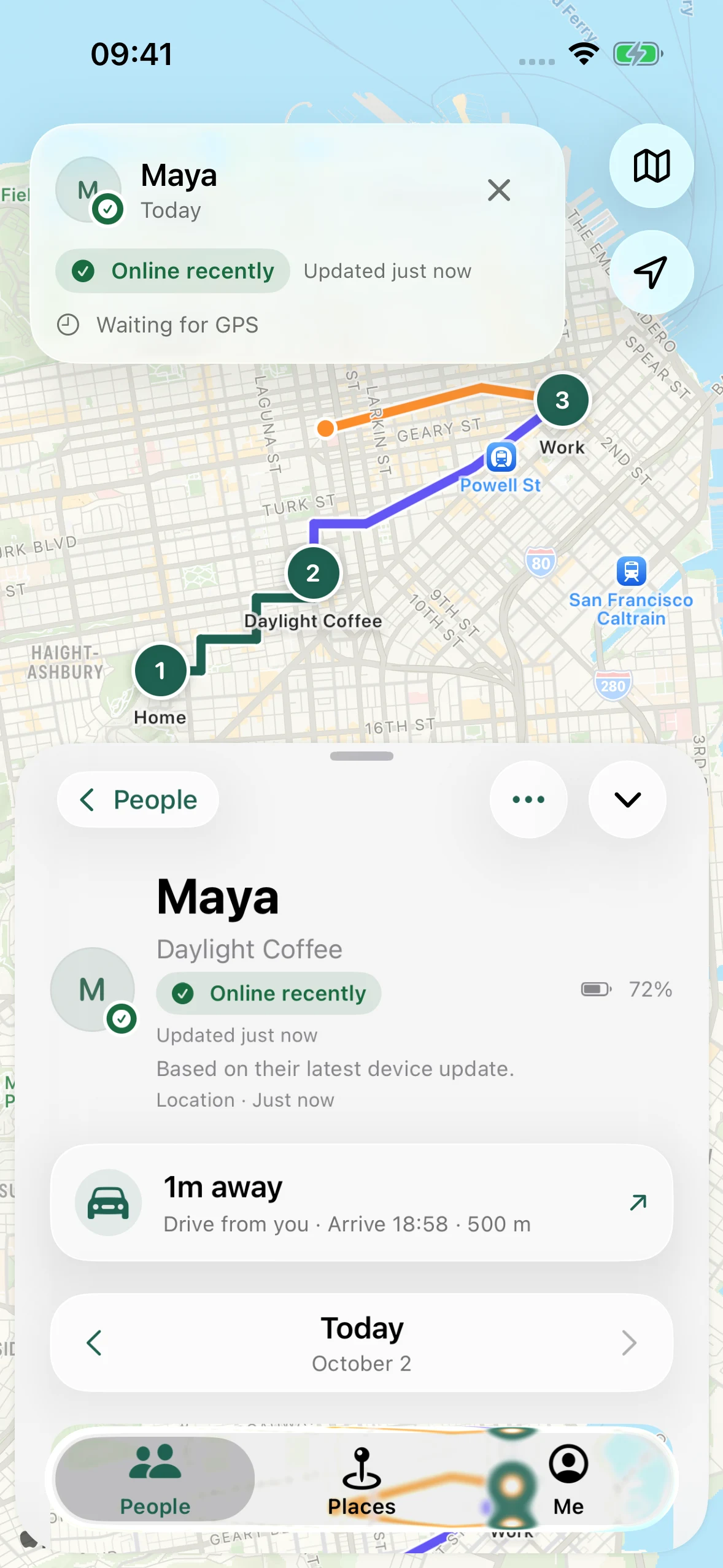
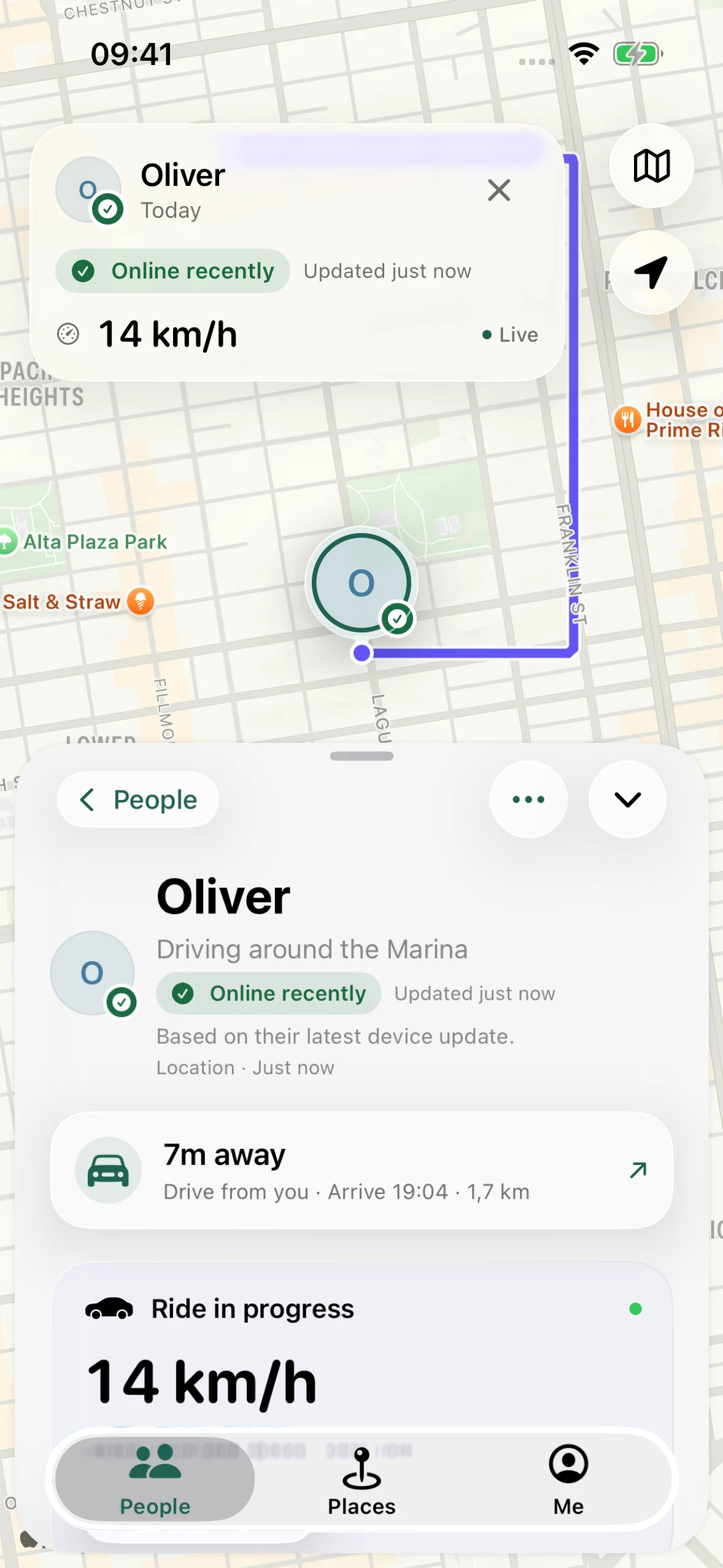
A shared route. The latest speed.
A closer look at the journey.
04 — Places
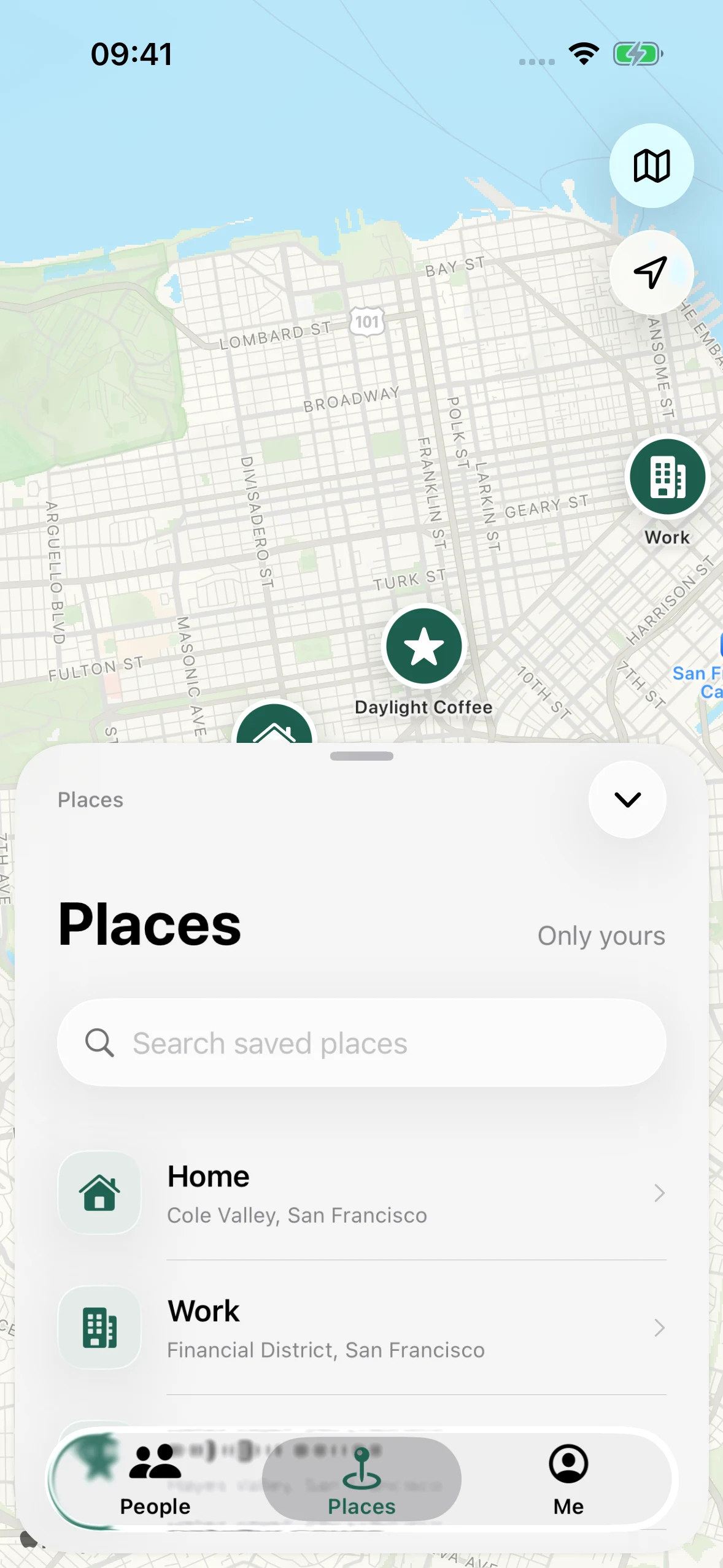
Home, work, and your favorite café.
Make the map your own.
05 — Your controls
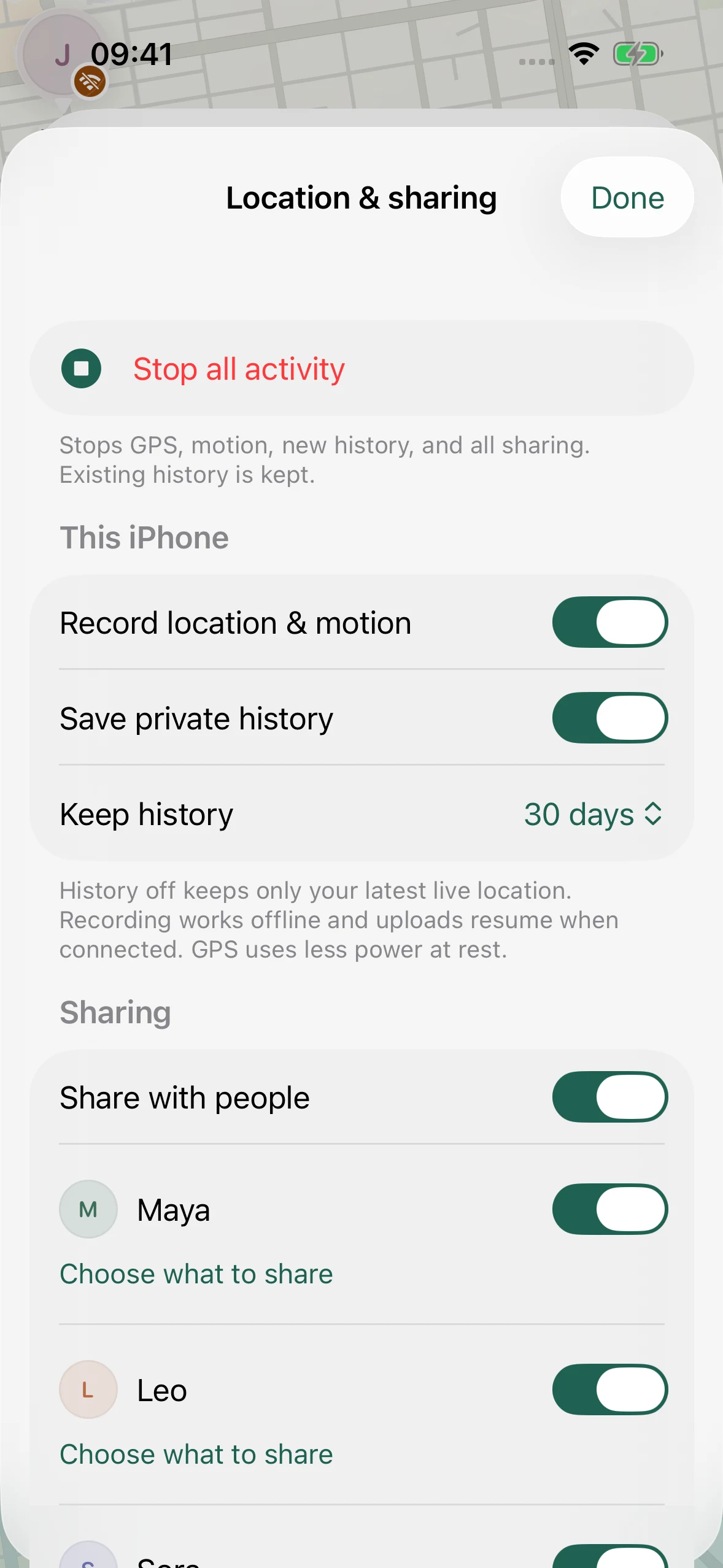
Pause one connection or everyone.
Keep your own history separate.
Sharing, person by person.
Waylori for iPhone
Location sharing that leaves you in control.
Scroll to explore
The experience
See a shared location. Retrace a journey.
Keep the details you want to yourself.
01 / People
Find your people on one map. See their latest shared location, with a clear timestamp and status.
Recently online, inactive, or sharing paused—you get the context behind the pin.
02 / History
The morning walk. A stop for coffee. The ride across town. Your timeline brings places and journeys together.
Browse routes, arrival times, and how long you stayed. Your own history starts private.
03 / Journeys
Open a shared drive to see its route, latest speed, and a travel-time estimate.
Look closer with ride details for speed, acceleration, and braking. Movement is shared only when allowed.
Make it personal
Places
Home, work, your favorite café. Save the places that matter and give your map a familiar name.
Search for a place, see it on the map, and make it yours. Frequent-place suggestions help you find the spots you return to.
Location & sharing
Pause sharing with one person or everyone. Turn off recording. Keep your private history separate from what you share.
One place to manage it all. Your choices stay yours.
Add someone with a QR code. Each person chooses what they want to share.
Encrypted messages and check-ins keep your connections up to date.
Save observations on your phone, then upload when you’re connected again.
Privacy
Waylori encrypts your location history on your device before storing it in iCloud. Our architecture is designed so Waylori’s developers cannot read it. You choose who can receive your shared location and history.
Location history is encrypted before upload. Keys are kept in your device’s Keychain.
Encrypted history lives in your private CloudKit database, using your own iCloud storage.
Selected content is encrypted for your chosen recipient’s key.
These protections apply to location content. Apple still handles iCloud account and sharing metadata. Place searches and directions use Apple Maps and involve location-based requests to Apple’s services.
Apple states that private CloudKit database content is not visible in the developer portal and counts toward your iCloud storage quota. Read Apple’s documentation.
Sharing gives your chosen recipient access to the content you allow. Ending sharing cannot erase a copy they already saved. Location updates and recording depend on permissions, connectivity, GPS conditions, and iOS background scheduling.
No. Recording your own day and sharing it are separate choices. Keep a private history, pause a connection, or stop sharing with everyone.
No. Previous history is not included automatically. Future history starts when you enable it. Previous days need a separate choice.
With recording enabled, your phone can keep saving observations locally and upload when connected. Others see the age and status of your last shared update. Changes to sharing take effect remotely when your phone reconnects.
Yes. Approximate sharing hides your exact position and speed. Precise saved-place names and arrival events are not shared.
No. It does not provide emergency response or crash detection. Travel-time estimates are not monitored arrival deadlines.
Need a hand?
support@waylori.com